Refresh Networks: This causes VZAccess Manager to verify devices connected and to scan for available Networks. Use this feature if you connected your equipment after launching VZAccess Manager. Pressing the F6 function key can also access this option.
Refresh Signal Levels: Available only with handsets, this causes VZAccess Manager to query signal levels and update its display. This will also update the battery display for your WWAN device if it is not in an active data session. Signal levels are automatically refreshed when you launch VZAccess Manager, connect or disconnect. Pressing the F5 function key can also access this option.
Statistics: If you selected to detect and install Wi-Fi during installation, there will be a Wi-Fi statistics tab with additional information and tools that are helpful in the event any troubleshooting of the connection is required. You can view key statistics including bandwidth and your IP address information, release your IP address, renew your IP address. If you selected to detect and install a WWAN device during installation, there will be a Statistics tab that will show data speeds during a session when using the WWAN device. NationalAccess delivers typical speeds of 60 to 80 Kbps, bursting up to 144 Kbps. BroadbandAccess provides broadband-like speeds (up to 1.54 Mbps). There is also a "My Computer" tab; this tab has key information about your computer that may be helpful in troubleshooting any problems that may occur. It also has the option of being e-mailed to Verizon Wireless Technical Support.
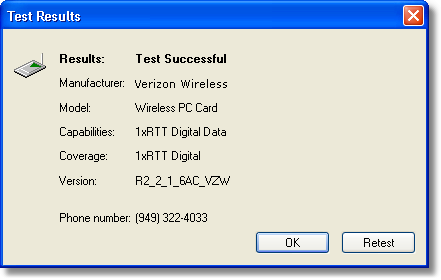
Test WWAN Device: Retrieve and display detailed information about your WWAN device such as manufacturer, model, version, etc. With some devices - not PC cards - you will also see indicators for the wireless network's signal strength and your notebook's battery strength.
Run Wizard: Runs the Setup Wizard again. Useful if you need to reconfigure VZAccess Manager to use a new wireless device. This option does not appear for GPRS/UMTS devices.
Power Off WWAN Device: Allows you to turn off your WWAN device.