To access the Updates preferences, click on the "Tools" menu, then "Preferences..." and select the "Updates" tab.
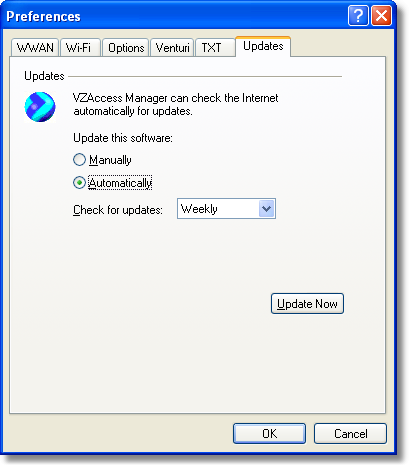
This feature allows VZAccess Manager to automatically check for software updates. If you are using NationalAccess or BroadbandAccess and an update is available, you will be notified of it's size and approximate download times.
You will be given the choice to download or cancel. If you select download, you will be presented with a display that shows the progress as the update is downloading with the option to cancel if desired. You do not need to download the updates wirelessly; you can use any connection to the Internet. Note: If you download the updates wirelessly, normal usage charges apply.
You can allow the software to check automatically for updates, daily, weekly (default), or monthly. It only checks when the application is running and when it detects that you are connected and able to access to the Internet. If desired, you can select "Manually" and the software will only check for updates when you select "Update Now" (pictured above), or you when you select, from VZAccess Manager's main screen, "Help," "Check for Updates."